EPISODE II
The re·cap
Short Commands Summary
  ps     => list currnet active containers [-a list all]
  images => list all images
  build  => build custom image
  run    => create and run container
  stop   => stop container
  system prune -a =>  remove all images and clean all containers
Layers
Dockerfile
FROM node:latest
RUN mkdir -p /usr/src/app
WORKDIR /usr/src/app
COPY . /usr/src/app
RUN yarn
CMD ["node", "run.js"]
➞ docker build -t test .
  Step 1/7 : FROM node:latest
  latest: Pulling from library/node
  7e6d8ed60355: Pull complete
  Digest: sha256:a33ccec42e036118e7c797a7251387f8c4fb3486905d587b0453725a84e4d3e3
  Status: Downloaded newer image for node:latest
    ---> 9b21eddf6af2
  Step 2/7 : RUN mkdir -p /usr/src/app
    ---> Running in 90d7a6612824
  Removing intermediate container 90d7a6612824
    ---> c3bdb217147a
  Step 3/7 : WORKDIR /usr/src/app
    ---> Running in 4265de010f69
  Removing intermediate container 4265de010f69
    ---> 47dd558d0bc8
    ---> Running in be24db014d79
  Removing intermediate container be24db014d79
    ---> 6bbc5123ab8f
  Step 5/7 : COPY . /usr/src/app
    ---> 8cc59af19168
  Step 6/7 : RUN yarn
    ---> Running in f192a9c425b3
  yarn install v1.22.4
  Step 7/7 : CMD ["node", "run.js"]
    ---> Running in 98e80fe5f4e5
| FROM node:latest | Layer 1 | be24wd014ss |
| RUN mkdir -p /usr/src/app | Layer 2 | be24db01e4e |
| WORKDIR /usr/src/app | Layer 3 | be24dfe9d2e |
| COPY . /usr/src/app | Layer 4 | be24dbdfd73 |
| RUN yarn | Layer 5 | be24db0ssfe |
| CMD ["node", "run.js"] | Layer 6 | rde4edgref79 |
➞ docker build -t test .
  Step 1/7 : FROM node:latest
  latest: Pulling from library/node
  7e6d8ed60355: Pull complete
  Digest: sha256:a33ccec42e036118e7c797a7251387f8c4fb3486905d587b0453725a84e4d3e3
  Status: Downloaded newer image for node:latest
    ---> 9b21eddf6af2
  Step 2/7 : RUN mkdir -p /usr/src/app
    ---> Running in 90d7a6612824
  Removing intermediate container 90d7a6612824
    ---> c3bdb217147a
  Step 3/7 : WORKDIR /usr/src/app
    ---> Running in 4265de010f69
  Removing intermediate container 4265de010f69
    ---> 47dd558d0bc8
    ---> Running in be24db014d79
  Removing intermediate container be24db014d79
    ---> 6bbc5123ab8f
  Step 5/7 : COPY . /usr/src/app
    ---> 8cc59af19168
  Step 6/7 : RUN yarn
    ---> Running in f192a9c425b3
  yarn install v1.22.4
  Step 7/7 : CMD ["node", "run.js"]
    ---> Running in 98e80fe5f4e5
➞ docker build -t test .
Sending build context to Docker daemon  22.02kB
Step 1/7 : FROM node:latest
  ---> 9b21eddf6af2
Step 2/7 : RUN mkdir -p /usr/src/app
  ---> Using cache
Step 3/7 : WORKDIR /usr/src/app
  ---> Using cache
Step 4/7 : EXPOSE 8080
  ---> Using cache
Step 5/7 : COPY . /usr/src/app
  ---> Using cache
Step 6/7 : RUN yarn
  ---> Using cache
Step 7/7 : CMD ["node", "run.js"]
  ---> Using cache
Successfully built d5176ee4cc57
              const express = require('express')
const app = express()
const m = `....mask...`
const txt = `      Be like the Mandalorian,
never take off your mask in public.
This is the way !\n`

const tmp = 'test'
const createResp = () => `${m}${txt} `

app.get('/', (req, res) => {
  res.send(createResp())
})
app.listen(8080)
➞ docker build -t test .
      Sending build context to Docker daemon  22.02kB
      Step 1/6 : FROM node:latest
        ---> 9b21eddf6af2
      Step 2/6 : RUN mkdir -p /usr/src/app
        ---> Using cache
        ---> c3bdb217147a
      Step 3/6 : WORKDIR /usr/src/app
        ---> Using cache
        ---> 47dd558d0bc8
      Step 4/6 : COPY . /usr/src/app
        ---> 7815f93f430e
      Step 5/6 : RUN yarn
        ---> Running in 8c2bcff33528
      yarn install v1.22.4
      [1/4] Resolving packages...
      [2/4] Fetching packages...
      [3/4] Linking dependencies...
      [4/4] Building fresh packages...
      Done in 4.03s.
        ---> a38bd388560f
      Step 6/6 : CMD ["node", "run.js"]
        ---> Running in 0f51d81456df
        ---> 71a1912d08b0
Dockerfile
FROM node:latest
RUN mkdir -p /usr/src/app
WORKDIR /usr/src/app
COPY . /usr/src/app   ///// ⚠️ WRONG !!!
RUN yarn
CMD ["node", "run.js"]
Dockerfile
      FROM node:latest
      RUN mkdir -p /usr/src/app
      WORKDIR /usr/src/app

      COPY package.json /usr/src/app/.
      RUN yarn

      COPY . /usr/src/app

      CMD ["node", "run.js"]
              const express = require('express')
const app = express()
const m = `....mask...`
const txt = `      Be like the Mandalorian,
never take off your mask in public.
This is the way !\n`

const tmp = 'test 33'
const createResp = () => `${m}${txt} `

app.get('/', (req, res) => {
  res.send(createResp())
})
app.listen(8080)
➞ docker build -t test .
  Sending build context to Docker daemon  22.02kB
  Step 1/7 : FROM node:latest
    ---> 9b21eddf6af2
  Step 2/7 : RUN mkdir -p /usr/src/app
    ---> Using cache
    ---> c3bdb217147a
  Step 3/7 : WORKDIR /usr/src/app
    ---> Using cache
    ---> 47dd558d0bc8
  Step 4/7 : COPY package.json /usr/src/app/.
    ---> Using cache
    ---> 31810c719624
  Step 5/7 : RUN yarn
    ---> Using cache
    ---> f2ee54668504
  Step 6/7 : COPY . /usr/src/app
    ---> 9df1b25080d3
  Step 7/7 : CMD ["node", "run.js"]
    ---> Running in ea18b5bc3fa2
  Removing intermediate container ea18b5bc3fa2
    ---> 8924197d581d
  Successfully built 8924197d581d
Single docker task


Shared File System
- Mount local folder
- Create docker volume
- Storage Container
Mount local folder
Project Structure
  ➞ tree .
  .
  ├── Dockerfile
  ├── data
  │   └── message.json
  ├── package.json
  ├── run.js
  └── yarn.lock

  1 directory, 5 files
JSON file
{
  "title": "Mandalorian",
  "text": " lorem "
}
const express = require('express')
const app = express()
app.get('/', (req, res) => {
const msg = require('./data/message.json')
const resp = `${m}${txt}
${msg.title}
${msg.text}
`
res.send(resp)
})
app.listen(8080)
  docker build -t json .

  Sending build context to Docker daemon  1.999MB
  Step 1/7 : FROM node:latest
  latest: Pulling from library/node
  7e6d8ed60355: Extracting  10.09MB/45.37MB
  43421f771d04: Download complete
  c36327c39ae4: Download complete
  22b0be3e8a61: Downloading  12.24MB/50.08MB
  6b168feb1bb0: Downloading  2.681MB/214.9MB
  0a127f2eabe9: Waiting
  b281b64ed9a3: Waiting
  9b067b2c30c9: Waiting
  04b5a2eea4aa: Waiting
  ➞ docker images

  REPOSITORY       TAG           IMAGE ID            CREATED              SIZE
  json             latest        c520037e68c1        About a minute ago   945MB
  node             latest        9b21eddf6af2        15 hours ago         943MB
Project Structure
  ➞ tree .
  .
  ├── Dockerfile
  ├── data
  │   └── message.json
  ├── package.json
  ├── run.js
  └── yarn.lock

  1 directory, 5 files
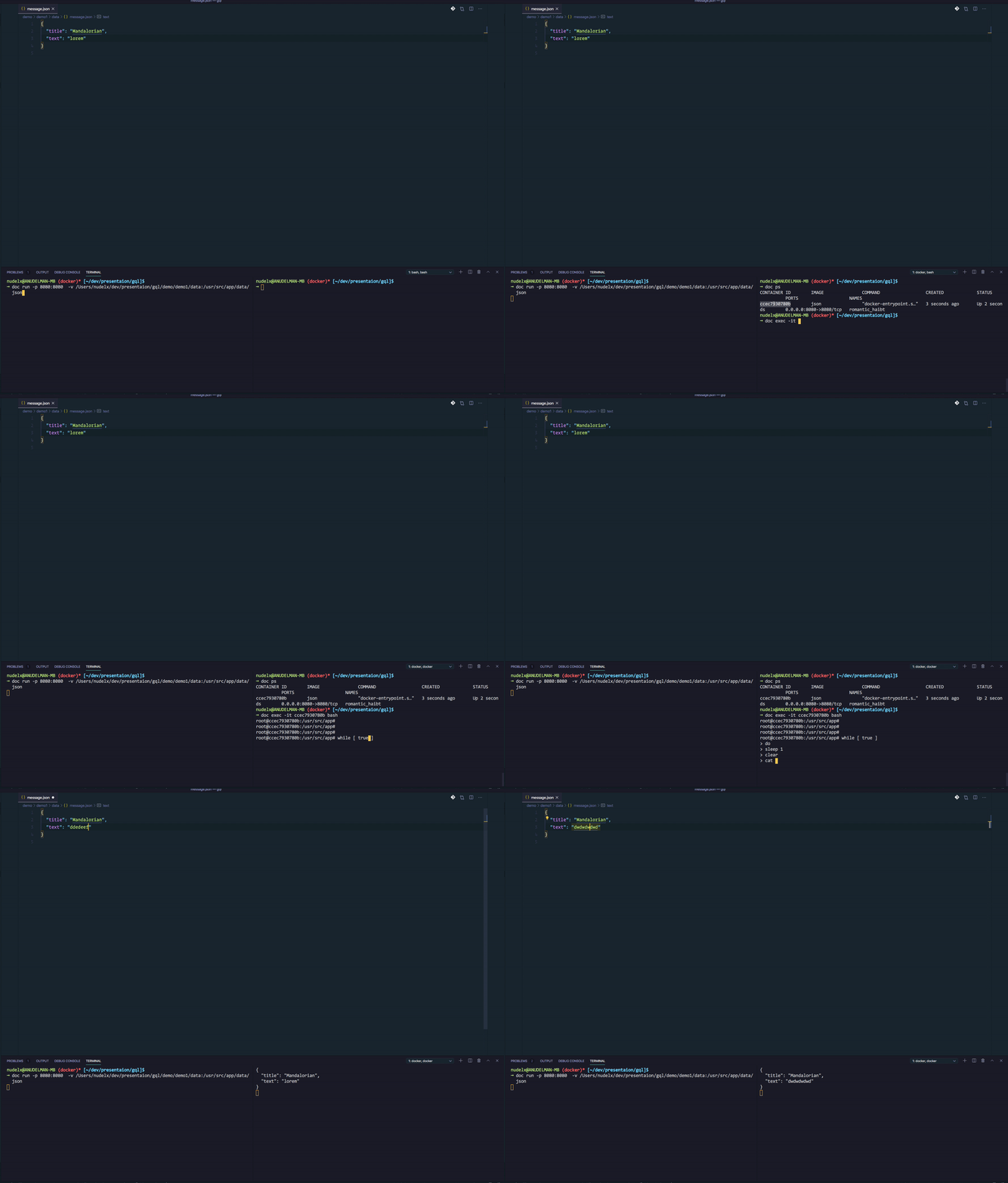
Run container with fs mapping
doc run  \
  -p 8080:8080  \
  -v /Users/nudelx/dev/presentaion/gql/demo/demo1/data:/usr/src/app/data/  json
  FROM node:latest
  RUN mkdir -p /usr/src/app
  WORKDIR /usr/src/app
  EXPOSE 8080
  COPY . /usr/src/app
  CMD ["yarn"]
  CMD ["node", "run.js"]

Docker Volume
  Usage:	docker volume COMMAND

  Manage volumes

  Commands:
    create      Create a volume
    inspect     Display detailed information on one or more volumes
    ls          List volumes
    prune       Remove all unused local volumes
    rm          Remove one or more volumes
  ➞ docker volume create myVolume
  myVolume
  ➞ docker volume ls
  DRIVER              VOLUME NAME
  local               myVolume
➞ docker volume inspect myVolume
[
    {
      "CreatedAt": "2020-07-30T11:48:59Z",
      "Driver": "local",
      "Labels": {},
      "Mountpoint": "/var/lib/docker/volumes/myVolume/_data",
      "Name": "myVolume",
      "Options": {},
      "Scope": "local"
    }
]
🕵🏻♂️
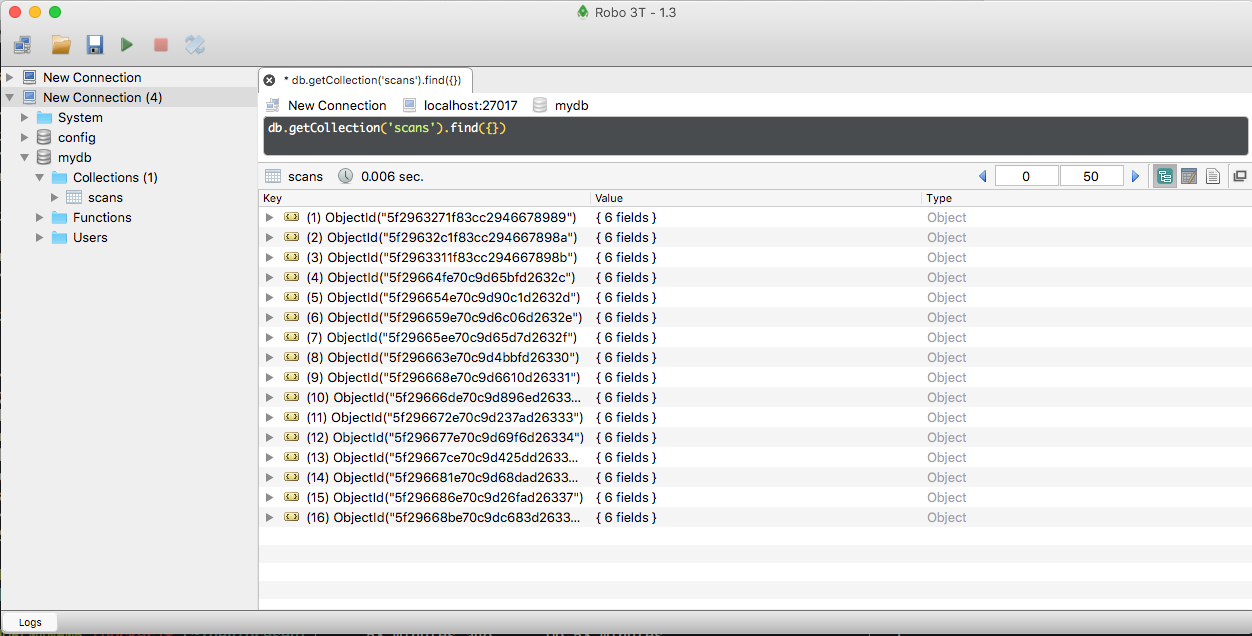
Scan App
The requirements
- 🔎 Scan Hosts with Nmap
- 🧙🏼♂️ Parse the results
- 💾 Store the results in DB
The Project architecture
scanner
parser
db
The Project architecture
nmap ynet.co.il
parse.js
mongo
🔎
nmap scanner
folders structure
  nudelx@ANUDELMAN-MB (docker)* [~/dev/demo/scanProject]$
  ➞ tree .
  ├── nmap
  │   ├── data   // result of the scan
  │   │   └── ...
  │   ├── dockerfile
  │   ├── list.txt // list of hosts to be scanned
  │   └── run.sh   // nmap executer
  ├── parser
  │   └── ...
  ├── mongo
      └── ...
dockerfile
  FROM ubuntu:latest
  RUN apt-get update
  RUN echo |apt-get install nmap
  RUN mkdir -p /usr/src/app
  WORKDIR /usr/src/app
  COPY list.txt /usr/src/app
  COPY run.sh /usr/src/app
  CMD ["/bin/sh" ,"run.sh" ]
run sh
  #!/bin/sh

  nmap -iL list.txt -oX ./data/output.xml
list
  ksp.co.il
  ivory.co.il
docker run
 d run -v sharedFolder:/usr/src/app/data scanner

----
 // alias d='docker'
docker volume
nudelx@ANUDELMAN-MB$ d volume create  mongoVolume
nudelx@ANUDELMAN-MB$ d volume create  sharedFolder
nudelx@ANUDELMAN-MB$ d volume ls

  DRIVER              VOLUME NAME

  local               mongoVolume
  local               sharedFolder
docker run
 d run -v sharedFolder:/usr/src/app/data scanner

----
 // alias d='docker'
💈
parser
folders structure
  nudelx@ANUDELMAN-MB [~/dev/demo/scanProject]$
  ➞ tree .
  ├── nmap
  │   └── ...
  ├── parser
  │   ├── dockerfile
  │   ├── package.json
  │   ├── parser.js
  │   ├── start
  ├── mongo
      └── ...
dockerfile
  FROM node:latest
  RUN mkdir -p /usr/src/app
  WORKDIR /usr/src/app
  COPY package.json .
  RUN yarn install
  COPY parser.js .
  CMD ["node" ,"parser.js" ]
parser.js
              #!/usr/bin/env node

              const dataPath  = process.env.DATA_PATH || './data'
              const mongoPort = process.env.MONGO_PORT || '27017'
              const mongoHost = process.env.MONGO_HOST || 'localhost'
              const timer     = process.env.TIMER || 5000
              const FOLDER    = path.resolve(__dirname, dataPath)
              const url       = `mongodb://${mongoHost}:${mongoPort}/`
              const regex     = /\.xml$/

              console.log('ENV', process.env)
              const mongoConnect = (url) => {...}

              const mongoSet = async (data) => {
                try {
                  const db = await mongoConnect(url)
                  const dbo = db.db('mydb')
                  dbo.collection('scans').insertOne(data, function(err, res) {
                    if (err) throw err
                    console.log('scan stored ', res)
                    db.close()
                  })
                } catch (err) {
                  console.log('ERROR mongo SET', err)
                }
              }

              const run = () => {...}
              run()
              setInterval(() => run(), timer)
parser.js
              const run = () => {
                fs.readdirSync(FOLDER).forEach((file) => {
                  file.match(regex) && fs.readFile(`${FOLDER}/${file}`, 'utf8', function(err, xml) {
                    err && return console.log(err)
                    try {
                      const res = convert.xml2json(xml, { compact: true, spaces: 4 })
                      console.log('Xml converted')
                      mongoSet(JSON.parse(res))
                      fs.unlinkSync(`${FOLDER}/${file}`)
                    } catch (e) {}
                  })
                })
                console.log('Done ')
                console.log('Sleeping for  ' + timer)
                console.log('=========================')
              }
              run()
              setInterval(() => run(), timer)
package.json
{
  "name": "parser",
  "version": "1.0.0",
  "main": "index.js",
  "license": "MIT",
  "dependencies": {
    "mongodb": "^3.6.0",
    "xml-js": "^1.6.11"
  }
}
docker run
d run -it -v sharedFolder:/usr/src/app/data parser
🍃
mongo
folders structure
  nudelx@ANUDELMAN-MB [~/dev/demo/scanProject]$
  ➞ tree .
  ├── nmap
  │   └── ...
  ├── parser
  │   └── ...
  ├── mongo
  │   ├── start
folders structure
#!/bin/sh
docker run --name mongo -p 27017:27017 -v mongoVolume:/data/db -d mongo
Let's run
nudelx@ANUDELMAN-MB [~/dev/presentaion/gql/demo/scanProject]$

➞ docker run --name mongo -p 27017:27017 -v mongoVolume:/data/db -d mongo

Unable to find image 'mongo:latest' locally
latest: Pulling from library/mongo
7595c8c21622: Pull complete
d13af8ca898f: Pull complete
70799171ddba: Pull complete
b6c12202c5ef: Pull complete
f8718c532d71: Pull complete
9035443a91bc: Pull complete
93ca553166d9: Pull complete
bc866a5c284c: Pull complete
6faca936e7b3: Pull complete
1dc2a767b81f: Pull complete
56dee77e3145: Extracting [====>  ]  12.81MB/142.4MB
b967fd908de0: Download complete
7cd9ac470a46: Download complete
  nudelx@ANUDELMAN-MB [~/dev/presentaion/gql/demo/scanProject]$
  ➞ d ps
  CONTAINER ID        IMAGE   COMMAND                  CREATED             STATUS              PORTS                      NAMES
  ec66cd0d3eab        mongo   "docker-entrypoint.s…"   8 seconds ago       Up 7 seconds        0.0.0.0:27017->27017/tcp   mongo
d build -t nmap .
Sending build context to Docker daemon  15.36kB
Step 1/8 : FROM ubuntu:latest
latest: Pulling from library/ubuntu
3ff22d22a855: Pull complete
e7cb79d19722: Pull complete
323d0d660b6a: Pull complete
b7f616834fd0: Pull complete
➞ d images
REPOSITORY          TAG                 IMAGE ID            CREATED              SIZE
nmap                latest              447f2a0fb117        About a minute ago   127MB
mongo               latest              aa22d67221a0        4 days ago           493MB
ubuntu              latest              1e4467b07108        11 days ago          73.9MB
➞ d run -v sharedFolder:/usr/src/app/data nmap

Starting Nmap 7.80 ( https://nmap.org ) at 2020-08-04 20:41 UTC
Nmap scan report for ksp.co.il (212.199.38.38)
Host is up (0.0031s latency).
rDNS record for 212.199.38.38: 212.199.38.38.hosting.spd.co.il
Not shown: 998 filtered ports
PORT    STATE SERVICE
80/tcp  open  http
443/tcp open  https

Nmap scan report for ivory.co.il (80.178.161.201)
Host is up (0.0027s latency).
Other addresses for ivory.co.il (not scanned): 212.199.184.138
rDNS record for 80.178.161.201: 80.178.161.201.static.hosting.spd.co.il
Not shown: 998 filtered ports
PORT    STATE SERVICE
80/tcp  open  http
443/tcp open  https

Nmap done: 2 IP addresses (2 hosts up) scanned in 11.16 seconds
➞ d images
REPOSITORY          TAG                 IMAGE ID            CREATED              SIZE
nmap                latest              447f2a0fb117        About a minute ago   127MB
mongo               latest              aa22d67221a0        4 days ago           493MB
ubuntu              latest              1e4467b07108        11 days ago          73.9MB
➞ d run -it -v sharedFolder:/mnt ubuntu

root@bb06deb34dd4:/# cd mnt/
root@bb06deb34dd4:/mnt# ll
total 16
drwxr-xr-x 2 root root 4096 Aug  4 12:52 ./
drwxr-xr-x 1 root root 4096 Aug  4 20:43 ../
-rw-r--r-- 1 root root 6088 Aug  4 20:41 output.xml
root@bb06deb34dd4:/mnt#
➞ d build -t parser  .
Sending build context to Docker daemon  3.938MB
Step 1/7 : FROM node:latest
latest: Pulling from library/node
7e6d8ed60355: Downloading   10.1MB/45.37MB
43421f771d04: Downloading  6.568MB/10.75MB
c36327c39ae4: Download complete
22b0be3e8a61: Downloading  1.022MB/50.08MB
6b168feb1bb0: Waiting
0a127f2eabe9: Waiting
b8ebb87902bd: Waiting
74fcd4404a16: Waiting
e8efbeec3186: Waiting
➞ d run -it  -v sharedFolder:/usr/src/app/data   parse

ERROR  MongoNetworkError: failed to connect to server [localhost:27017] on first connect
[Error: connect ECONNREFUSED 127.0.0.1:27017
  at TCPConnectWrap.afterConnect [as oncomplete] (net.js:1144:16) {
  name: 'MongoNetworkError'
}]
  nudelx@ANUDELMAN-MB (docker)* [~/dev/presentaion/gql/demo/scanProject]$
  ➞ d ps
  CONTAINER ID        IMAGE   COMMAND                  CREATED             STATUS              PORTS                      NAMES
  ec66cd0d3eab        mongo   "docker-entrypoint.s…"   8 seconds ago       Up 7 seconds        0.0.0.0:27017->27017/tcp   mongo
docker network
🖥 localhost
0.0.0.0:80 <-> D1:8080
0.0.0.0:81 <-> D2:8080
🖥 localhost
virtual network - sub 10.0.1.0/24
➞ d network

Usage:	docker network COMMAND

Manage networks

Commands:
  connect     Connect a container to a network
  create      Create a network
  disconnect  Disconnect a container from a network
  inspect     Display detailed information on one or more networks
  ls          List networks
  prune       Remove all unused networks
  rm          Remove one or more networks

Run 'docker network COMMAND --help' for more information on a command.
Bridge
The default network driver. If you don’t specify a driver, this is the type of network you are creating
Host
For standalone containers, remove network isolation between the container and the Docker host, and use the host’s networking directly.
Overlay
Networks connect multiple Docker daemons together and enable swarm services to communicate with each other.
Macvlan
Networks allow you to assign a MAC address to a container, making it appear as a physical device on your network.
None
For this container, disable all networking. Usually used in conjunction with a custom network driver. none is not available for swarm services. See disable container networking.
🔗
Link
Link
[--link] - Connects a container to a network. You can connect a container by name or by ID. Once connected, the container can communicate with other containers in the same network.
          d run -it \
            -v sharedFolder:/usr/src/app/data \
            --link mongo:mongoDB \
            -e MONGO_HOST=mongoDB  parser
            ENV {
              MONGODB_PORT_27017_TCP: 'tcp://172.17.0.2:27017',
              MONGO_HOST: 'mongoDB',
              NODE_VERSION: '14.7.0',
              HOSTNAME: '1f33184ccd7f',
              MONGODB_ENV_MONGO_VERSION: '4.4.0',
              YARN_VERSION: '1.22.4',
              MONGODB_ENV_JSYAML_VERSION: '3.13.1',
              HOME: '/root',
              MONGODB_ENV_GOSU_VERSION: '1.12',
              TERM: 'xterm',
              PATH: '/usr/local/sbin:/usr/local/bin:/usr/sbin:/usr/bin:/sbin:/bin',
              MONGODB_ENV_MONGO_PACKAGE: 'mongodb-org',
              MONGODB_PORT: 'tcp://172.17.0.2:27017',
              MONGODB_ENV_MONGO_MAJOR: '4.4',
              MONGODB_PORT_27017_TCP_ADDR: '172.17.0.2',
              MONGODB_NAME: '/wizardly_dijkstra/mongoDB',
              MONGODB_PORT_27017_TCP_PORT: '27017',
              MONGODB_PORT_27017_TCP_PROTO: 'tcp',
              PWD: '/usr/src/app',
              MONGODB_ENV_GPG_KEYS: '20691EEC35216C63CAF66CE1656408E390CFB1F5',
              MONGODB_ENV_MONGO_REPO: 'repo.mongodb.org'
            }
            Parser Started
            Done
            Sleeping for  5000
Xml converted
File output.xml converted
File output.xml removed
scan stored
CommandResult {
  result: { n: 1, ok: 1 },
  connection: Connection  OK
}
➞ d ps

CONTAINER ID    IMAGE     COMMAND                   STATUS              PORTS                      NAMES
1e3e242b479b    nmap      "/bin/sh run.sh"          Up 2  seconds                                   nmap
652850814c5d    parser    "docker-entrypoint.s…"    Up 4  seconds                                   parser
ec66cd0d3eab    mongo     "docker-entrypoint.s…"    Up 10 seconds        0.0.0.0:27017->27017/tcp   mongo
➞ d stats

CONTAINER ID    NAME      CPU %     MEM USAGE / LIMIT     MEM %    NET I/O           BLOCK I/O   PIDS
ec66cd0d3eab    mongo     0.93%      60.92MiB / 1.944GiB  3.06%    1.5MB / 2.86MB    0B / 0B     36
652850814c5d    parser    1.93%      11.32MiB / 1.944GiB  1.06%    1.5MB / 2.86MB    0B / 0B     53
1e3e242b479b    nmap      0.20%      5.92MiB / 1.944GiB   0.06%    1.5MB / 2.86MB    0B / 0B     4
🙌
🤯
SCALE
How to manage multiple containers in the project ?
🙆🏻♂️
Docker Compose
Compose is a tool for defining and running multi-container Docker applications
With Compose, you use a YAML file to configure your application’s services.
Then, with a single command, you create and start all the services from your configuration.
Using Compose is a three-step process
Define your app’s environment with a Dockerfile
Define the services that make up your app in docker-compose.yml
Run docker-compose up and compose starts and runs your entire app.
Project Structure
  ➞ tree .
  .
  ├── mongo
  ├── parser
  ├── nmap
  └── docker-compose.yml

  3 directory, 1 file
docker-compose.yml
version: '3'

volumes:
  mongoVolume:
  sharedFolder:

services:
  mongo-server:
    image: 'mongo'
    restart: always
    volumes:
      - mongoVolume:/data/db
    ports:
      - 27017:27017
  nmap:
    build: nmap/.
    restart: always
    volumes:
      - sharedFolder:/usr/src/app/data
  parser:
    build: parser/.
    restart: always
    volumes:
      - sharedFolder:/usr/src/app/data
    environment:
      - MONGO_HOST=mongo-server
parser.js
            #!/usr/bin/env node

            const dataPath = process.env.DATA_PATH || './data'
            const mongoPort = process.env.MONGO_PORT || '27017'
            const mongoHost = process.env.MONGO_HOST || 'localhost'
            const timer = process.env.TIMER || 5000
            const FOLDER = path.resolve(__dirname, dataPath)
            const url = `mongodb://${mongoHost}:${mongoPort}/`
            const regex = /\.xml$/

            console.log('ENV', process.env)
            const mongoConnect = (url) => {...}

            const mongoSet = async (data) => {
              try {
                const db = await mongoConnect(url)
                const dbo = db.db('mydb')
                dbo.collection('scans').insertOne(data, function(err, res) {
                  if (err) throw err
                  console.log('scan stored ', res)
                  db.close()
                })
              } catch (err) {
                console.log('ERROR mongo SET', err)
              }
            }

            const run = () => {...}
            run()
            setInterval(() => run(), timer)
docker-compose.yml
version: '3'

volumes:
  mongoVolume:
  sharedFolder:

services:
  mongo-server:
    image: 'mongo'
    restart: always
    volumes:
      - mongoVolume:/data/db
    ports:
      - 27017:27017
  nmap:
    build: nmap/.
    restart: always
    volumes:
      - sharedFolder:/usr/src/app/data
  parser:
    build: parser/.
    restart: always
    volumes:
      - sharedFolder:/usr/src/app/data
    environment:
      - MONGO_HOST=mongo-server
  ➞ docker-compose up

  Creating network "scanproject_default" with the default driver
  Creating volumes "scanproject_mongoVolume", "scanproject_sharedFolder"

  Building nmap
  Step 1/8 : FROM ubuntu:latest

  Pulling mongo-server (mongo:)...

  Building parser
  Step 1/7 : FROM node:latest
  latest: Pulling from library/node

  Creating scanproject_parser_1       ... done
  Creating scanproject_nmap_1         ... done
  Creating scanproject_mongo-server_1 ... done
  ➞ d volume ls

  DRIVER              VOLUME NAME

  local               scanproject_mongoVolume
  local               scanproject_sharedFolder
  ➞ d network ls

  NETWORK ID          NAME                  DRIVER              SCOPE

  2d319f1e2006        bridge                bridge              local
  01df48d85fe6        host                  host                local
  5e9925eb35d4        none                  null                local
  85b86a42fa9a        scanproject_default   bridge              local
➞ docker-compose up --build
  ...
  TL;DR
  nmap_1          | nmap scann started
  nmap_1          | nmap scann done 2 hosts up
  parser_1        | Xml converted
  parser_1        | File output.xml converted
  parser_1        | File output.xml removed
  mongo-server_1  | {"t":{"$date":"2020-08-05T09:12:49.712+00:00"},SAVED:OK"}